Command-line tools
mentor installs two command-line entry points for working with checkpoint files without writing any Python.
mtr_checkpoint
Print a structured report for a checkpoint file.
mtr_checkpoint -path model.pt
Argument |
Default |
Description |
|---|---|---|
|
(required) |
Path to the |
|
|
Print extra detail. |
Example output
Checkpoint: /path/to/model.pt
File size:  4321.0 KB

Model class:   examples.cifar.train_cifar.CifarResNet
Importable:    OK (found in 'examples.cifar.train_cifar')
Constructor:   {'resnet': 'resnet18', 'num_classes': 10}

Architecture (inferred from state_dict):
  Parameters:   11,181,642 in 122 tensors
  Modules:      60 parameter-bearing
  Input:        3 channels  (inferred from first conv)
  Output:       10 features  (inferred from last linear)

Epochs trained: 30
  First epoch:  loss=2.2103  acc=0.1012  memfails=0.0000
  Last epoch:   loss=0.3847  acc=0.8901  memfails=0.0000

Epochs validated: 30
  Last val epoch (30): acc=0.8712  memfails=0.0000
  Best epoch (27):     acc=0.8798  memfails=0.0000
mtr_plot_file_hist
Plot training and validation history from one or more checkpoint files.
# single file — all metrics, saved to PNG
mtr_plot_file_hist -paths model.pt -output history.png

# compare two runs
mtr_plot_file_hist -paths run1.pt run2.pt -output compare.png

# show interactively (no -output)
mtr_plot_file_hist -paths model.pt

# overlay all metrics on a single axis
mtr_plot_file_hist -paths model.pt -overlay true

# select specific metrics
mtr_plot_file_hist -paths model.pt -values train/loss validate/acc
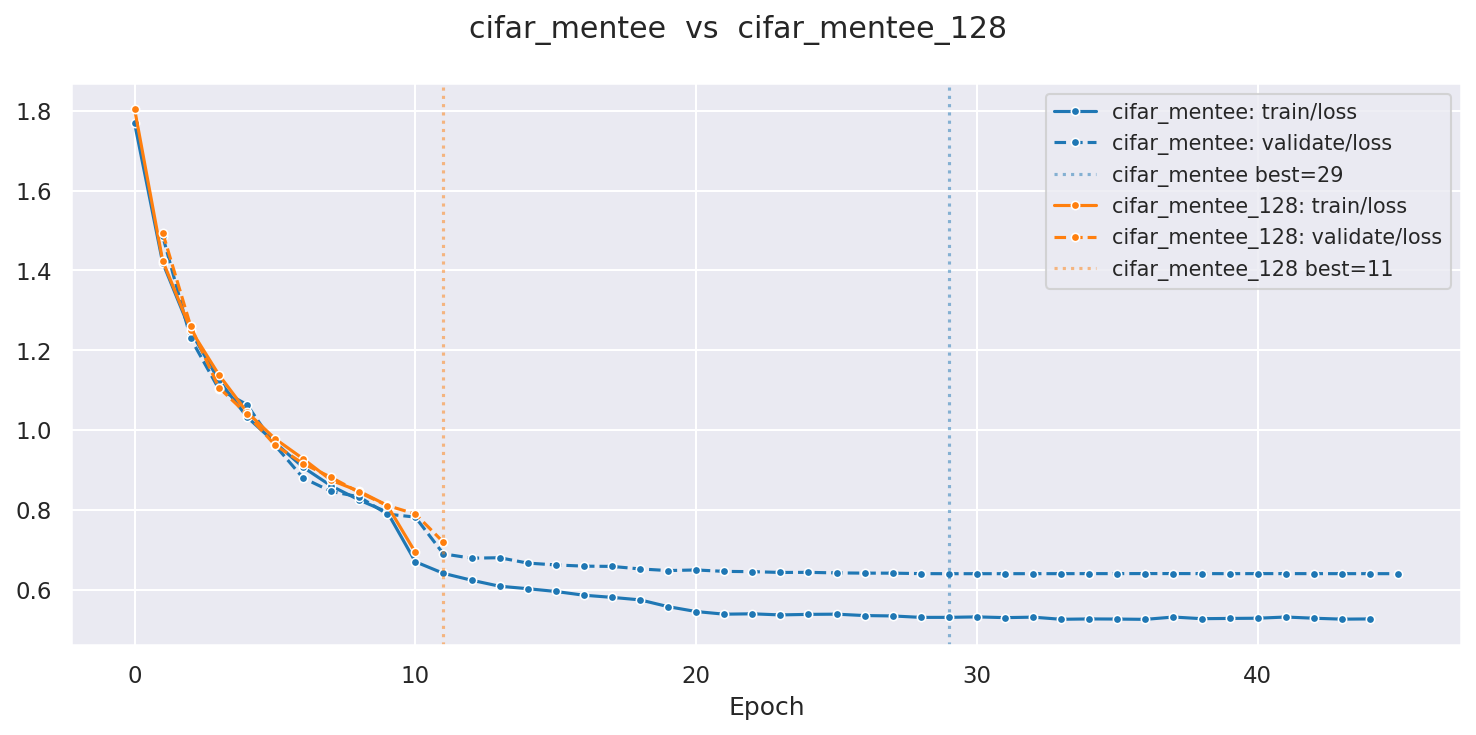
Example output (two CIFAR runs, train and validation loss, overlay mode):
Argument |
Default |
Description |
|---|---|---|
|
(required) |
Space-separated paths to |
|
(all) |
Metrics in |
|
|
Draw all metrics and files on a single shared axis. |
|
(interactive) |
Save figure to this path instead of displaying it. |
|
|
Print discovered metrics and file list. |